Quick answer: How to check DPF problems with a diesel diagnostic scanner
Use the scanner to read stored/active DPF fault codes, view live data for soot load and DPF-related sensors (differential pressure, exhaust gas temperature), run a DPF regeneration status and forced regen if supported, then confirm results by re-checking codes and live values. If codes persist, inspect sensors, intake/exhaust leaks, and the DPF physically.
What you need before you start
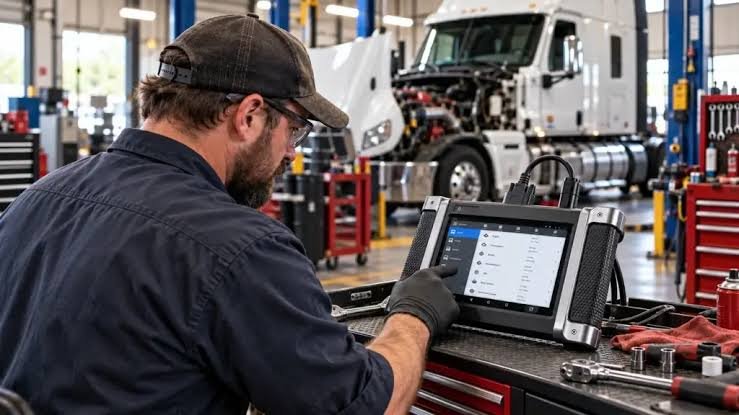
Focus keyphrase: check DPF problems — have a compatible diesel diagnostic scanner (one that supports heavy-duty or the truck make), the vehicle’s service manual or guided scan procedure, basic PPE, and the ability to run the engine at safe operating conditions. If the truck has a 24V system or heavy-duty ECU, use a scanner listed for heavy-duty trucks (for example, the ANCEL HD3300Elite is a solid match).
Step-by-step: Read codes and confirm the symptom
- Connect the scanner to the diagnostic port and turn ignition on (engine off) or follow the scanner’s connect routine.
- Run a full system or engine scan and filter results for DPF/aftertreatment codes (codes often start with, or relate to, aftertreatment system faults). Note both active and historic codes and freeze-frame data.
- Compare the fault descriptions with the service manual—some codes indicate sensor failure (e.g., differential pressure sensor), others indicate soot accumulation or incomplete regen.
Check live data that indicates DPF health
Open the live-data or PID stream for these key values and watch them while the engine is at operating temperature and under load (or as the manual instructs):
- Soot load or calculated ash percentage (if available)
- DPF differential pressure (ΔP) across upstream and downstream ports
- Exhaust gas temperature(s) before and after the DPF
- Intake mass air flow, EGR status, and engine load (helpful for regen conditions)
- DPF regeneration status and timer/counters
What to expect: low ΔP at idle and reasonable ΔP rise under load; exhaust temperature after DPF should be lower than before DPF unless regen is active; soot load increases slowly—very high soot or steady high ΔP indicates a blockage.

Run built-in DPF tests and forced regeneration
Many diesel scanners and manufacturer tools include DPF functions: request DPF status, initiate passive/active/forced regeneration, and run injector/DPF pressure sensor tests. Use these functions in this order:
- Request a DPF status report (some tools give soot load percentage and regen counters).
- If conditions allow (engine at temp, safe environment), attempt a passive or active regen via the scanner. Follow the tool’s instructions exactly—forced regen typically raises exhaust temperature substantially and can take 20–60 minutes.
- If forced regen fails or cannot complete, the scanner should provide fault feedback (e.g., inability to reach target temperature, sensor fault, or insufficient DPF substrate condition).
Always ensure good ventilation and follow safety warnings in the scanner and vehicle manuals.
Interpretation: common patterns and what they mean
- High soot load + ability to perform forced regen → DPF needs regeneration; perform regen and re-test.
- High ΔP with low soot load → possible sensor fault, clogged upstream/downstream piping, or collapsed DPF substrate; test/replace the differential pressure sensor and inspect plumbing.
- Temp sensors reading low or inconsistent → faulty EGT sensor or wiring; regen may not start because the ECM sees incorrect temps.
- Frequent incomplete regens and recurring codes → upstream issues like excessive oil consumption, worn injectors, EGR faults, or driving pattern that prevents passive regen.
When codes persist after a successful scan and regen
If the scanner shows the regen completed but codes remain, do the following:
- Clear codes and run the vehicle through a monitored test cycle; some ECUs require several driving cycles to relearn.
- Use the scanner to confirm live soot and ΔP have dropped and that no new faults are logged.
- Inspect physical DPF condition (visual damage, heat cracking) and check for exhaust leaks or collapsed baffles that could trick sensors.
Sensor and wiring troubleshooting using the scanner
Use the scanner to observe sensor readings while manipulating related conditions:
- Back-probe differential pressure sensor while blocking/unblocking upstream vacuum to see if the signal changes.
- Compare EGT readings before and after the DPF while performing a controlled throttle increase—both sensors should respond smoothly.
- Check for intermittent faults in the scanner’s live stream—wiring damage often shows as jumping values or timeouts.
When to replace parts versus when to clean or force-service
Replace sensors (ΔP, EGT) when readings are implausible or fail bench/active tests. Consider DPF cleaning or replacement if soot/ash percentages remain high after multiple successful regens, or if ΔP indicates permanent restriction. If engine oil/engine injector faults are causing excessive soot, address those root causes first—replacing a DPF without fixing upstream problems often fails.
Practical variations for common vehicle types
Light-duty diesels with OBD2 typically have fewer DPF PIDs—use live EGT and soot mass from available PIDs and a scanner compatible with both 12V and diesel protocols. Heavy-duty trucks often expose soot mass, DPF status, and allow forced regens from the ECU; use a heavy-duty-capable scanner and follow the manufacturer’s regen prerequisites.
- Scan and record active/historic DPF and aftertreatment fault codes.
- Monitor soot load, ΔP and EGT live data while warm and under load.
- Attempt scanner-guided DPF regen only when safety and operating conditions are met.
- Test and back-probe ΔP and EGT sensors for response and wiring issues.
- Clear codes and recheck after a driving or regeneration cycle.
- Investigate engine-side causes (oil burn, injectors, EGR) before replacing the DPF.
Checking DPF problems with a diesel diagnostic scanner is a sequence: read codes, verify live sensor data, perform regen if allowed, then re-evaluate. The scanner tells you whether the issue is soot loading, sensor failure, or an upstream engine problem—so use its test and live-data tools before replacing parts.
Can any OBD2 scanner check DPF problems?
Not always. Many generic OBD2 scanners lack heavy-duty or manufacturer PIDs for DPF soot, ΔP and regen control—use a scanner compatible with the vehicle’s protocol and aftertreatment functions.
Is it safe to force a DPF regen with a scanner?
Yes if you follow the vehicle and scanner safety steps: engine at operating temp, adequate exhaust clearance, and monitor temperatures—forced regen raises exhaust temps significantly.
What indicates a failed differential pressure sensor?
Steady implausible ΔP values (very high or zero) that don’t change with load or when you manipulate airflow usually point to a sensor or its wiring, not the DPF itself.
How long does a required DPF regen typically take?
Active or forced regens usually take 20–60 minutes depending on soot load and engine; passive regens occur during normal driving and aren’t timed by the scanner.
When should I consider DPF cleaning or replacement?
If multiple successful regens don’t lower soot/ΔP or if the DPF is physically damaged, cleaning or replacement is warranted—first address engine root causes to avoid repeat failure.