What matters — and what you can safely ignore
If you’re choosing tools or troubleshooting a heavy‑duty truck, the only things that matter about J1939 vs J1708 are: whether the vehicle speaks one or the other (or both), what data and speed you need, and what adapter or scanner supports that standard. You can safely ignore marketing that treats these as competing “formats” for end‑user convenience; they’re engineering choices set by manufacturers and fleets. Focus on compatibility, data types (PGNs vs. pids/messages), and physical connectors.
Decision criteria: how to choose between protocols
Use these criteria to decide which protocol is relevant for your work:
- Vehicle year and OEM: Newer heavy‑duty trucks (roughly late 1990s onward) overwhelmingly use J1939 over a CAN physical layer; older models, certain medium‑duty rigs and some vocational equipment may use J1708 or offer both.
- Data needs: J1939 provides structured Parameter Group Numbers (PGNs) and higher bandwidth for live data — essential for advanced diagnostics, telematics and emissions work. J1708 is slower and message‑based; it’s fine for simple fault codes and basic alarms.
- Tool compatibility: Ensure your scanner or tablet explicitly supports the protocol(s) you’ll see. Many modern heavy‑duty scanners support both; adapters exist to bridge older connectors to modern tools.
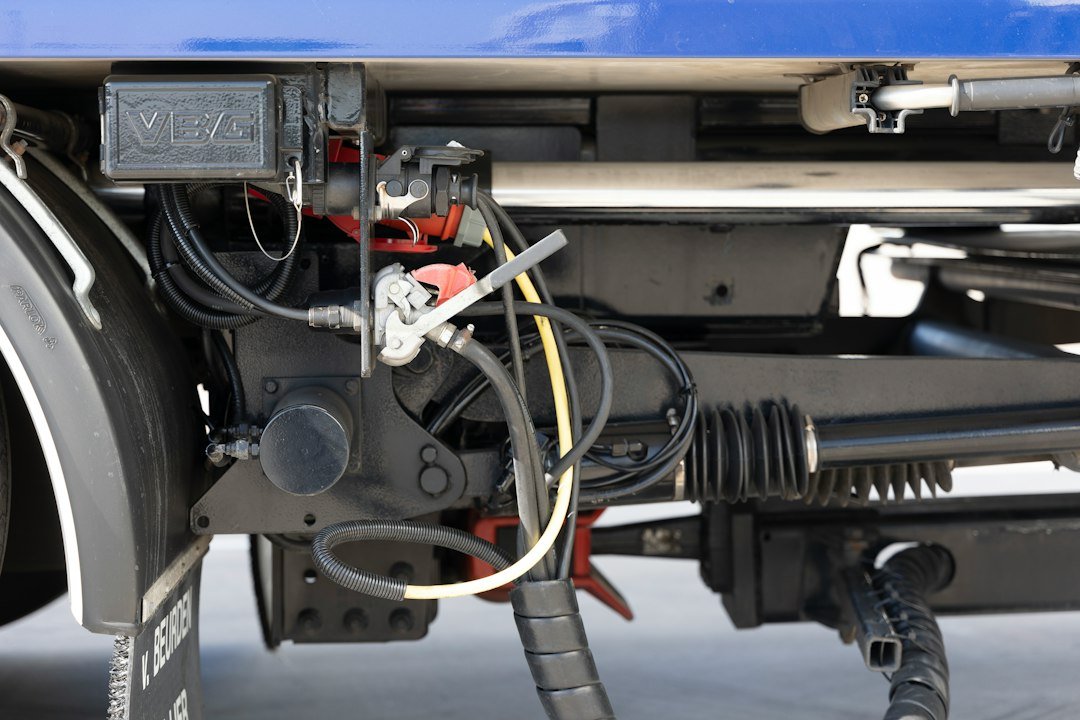
- Physical interface and wiring: J1939 commonly uses a 9‑pin Deutsch connector (though some OEMs expose different ports). J1708 uses 6‑pin or older proprietary connectors. Cable/adapters are essential for older trucks.
- Fleet management and standardization: Fleets aiming to standardize on telematics or remote diagnostics will prioritize J1939 because of richer data and industry support.
High‑level technical trade‑offs
Compare the protocols by the practical things a tech or fleet manager experiences on the shop floor:
- Throughput and structure: J1939 runs over CAN at 250 kbps or 500 kbps commonly, with defined PGNs and SPNs for specific measurements — meaning faster, consistent live‑data streams. J1708 runs at ~9600 bps and uses less structured messages; it’s slower and less predictable for continuous parameter logging.
- Diagnostics richness: J1939 exposes many more standardized data points (engine torque, exhaust gas temp, DEF level, etc.). If you need advanced troubleshooting, performance tuning or emissions verification, J1939 is superior.
- Robustness and bus behavior: CAN-based J1939 includes built‑in arbitration and error handling that scales to multiple ECUs sending frequent updates. J1708’s message bus is simpler and can become congested with many devices.
- Legacy support: J1708 is common on older engines and some trailer ABS systems. If you work on a shop’s older inventory or mixed fleet, keeping J1708 access is still necessary.
Practical implications for tool selection and workflows
If you primarily work on post‑2000 Class 6–8 trucks or want telematics integration, prioritize J1939 support in your scanner. If you support older vocational equipment, yard tractors, or legacy engines, keep a J1708 capability or adapter available.

Two practical tool points:
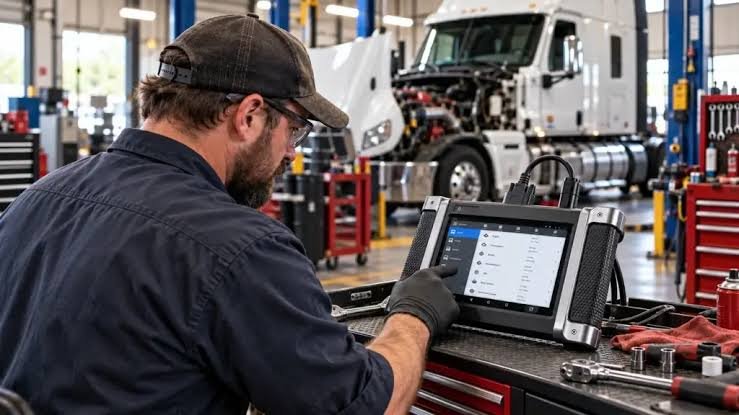
- Many modern heavy‑duty scanners (and diagnostic tablets) include both protocols. That’s the simplest route for mixed fleets — you avoid swapping hardware and can read both PGNs and legacy messages.
- Adapters and cables matter: a Deutsch 9‑pin to scanner cable gets you to J1939 ports; 6‑pin cables and legacy adapters are required for J1708. If you buy one cable, choose a 2‑in‑1 adapter that covers both physical ports.
Which protocol suits which reader
Match the protocol to your role and needs:
- Independent mobile techs or small shops: If most jobs are recent trucks, buy a J1939‑capable scanner (or a dual‑protocol tool). You’ll need fast live data and access to standardized SPNs for warranty and emissions work.
- Fleet maintenance managers: Prioritize J1939 for telematics and predictive maintenance; ensure vehicle procurement prefers J1939‑compliant ECUs to reduce adapter complexity.
- Restoration and legacy equipment techs: Keep reliable J1708 adapters and a tool that can interpret older message formats; J1708 is often the only way into some pre‑CAN systems.
- Service shops that handle mixed fleets: Dual‑protocol scanners or a primary J1939 scanner with a J1708 adapter cable are the most cost‑effective solution.
Common migration issues and quick troubleshooting tips
When moving from J1708 to J1939 (or diagnosing mixed systems), watch for these frequent problems:
- Misidentified port: visually confirm pinout — a 9‑pin Deutsch port usually indicates a J1939 CAN network.
- Software version mismatch: scanning software needs up‑to‑date PGN/SPN databases to decode new OEM messages.
- Grounding and termination: CAN networks require correct termination resistors; intermittent CAN faults often trace to missing or damaged terminators.
- Partial implementations: some older ECUs may send limited J1939 messages while still relying on J1708 for certain alarms — test both buses when in doubt.
When you still need J1708 — and how to make it less painful
J1708 isn’t dead. Trailer modules, early model engines and some aftermarket devices still use it. To minimize downtime:
- Keep a compact adapter kit (6‑pin and 9‑pin) in mobile service vehicles.
- Use a scanner with protocol auto‑detect so you don’t have to manually switch modes at the truck.
- Log legacy data and correlate with J1939 streams when both are present — that helps build a historical fault picture for diagnosis.
Short perspective: where the industry is headed
The direction is clear: CAN‑based J1939 (and newer higher‑speed CAN variants) are dominant because they support richer diagnostics, telematics and emissions controls. J1708 survives in niches and legacy systems. For most practical decisions, treat J1939 as the default and J1708 as the legacy exception you must occasionally support.
- Confirm vehicle port type (9‑pin vs 6‑pin) before service.
- Ensure scanner supports J1939 and has recent PGN/SPN updates.
- Carry a J1708 adapter if you service older or mixed fleets.
- Verify CAN termination and grounding when troubleshooting intermittent faults.
- Log live J1939 data when diagnosing emissions or DEF issues.
Choose J1939‑first tooling for modern heavy‑duty work; add J1708 adapters only if you regularly encounter legacy vehicles. The right scanner plus the correct cables and up‑to‑date software avoids most compatibility headaches.
How can I tell if a truck uses J1939 or J1708?
Check the diagnostic port and wiring: a 9‑pin Deutsch and CAN wiring indicates J1939; older 6‑pin or manufacturer‑specific connectors often indicate J1708. Year and OEM documentation help confirm.
Do modern scanners read both protocols?
Many modern heavy‑duty scanners and diagnostic tablets support both J1939 and J1708; check product specs and ensure included cables or adapters match your fleet.
Can J1708 devices be converted to J1939?
Not directly: conversion depends on the device. In practice you either use an adapter/gateway that translates messages or replace legacy modules with J1939‑capable units.
What’s the most useful tool purchase for a mixed fleet?
A dual‑protocol heavy‑duty scanner with a 9‑pin Deutsch cable and optional 6‑pin/J1708 adapter provides the best flexibility for mixed fleets.