Start with what you actually need: the problem, the truck, and the use case
Experienced techs pick a diesel diagnostic scanner based on three concrete things: the truck's electrical/protocol setup (J1939, J1708, 12V/24V), the functions they must perform (read/clear codes, DPF regen, immobilizer, ECU coding, bi-directional tests), and where the tool will be used (shop bench, roadside, or fleet maintenance). Before shopping, list the truck makes/models you support, which fault types recur, and whether you need coverage for heavy-duty connectors (6-pin/9-pin) or only standard OBD2.
Match physical connections and vehicle protocols first
Your scanner is useless if it can't talk to the truck. Heavy-duty trucks commonly use J1939 and sometimes legacy J1708; older models and some service modules expect 9-pin or 6-pin diesel connectors. Confirm:
- Whether the scanner supports J1939 and J1708 protocols.
- If the kit includes or supports 9-pin/6-pin adapters for Cummins and other heavy-duty ECUs.
- Power compatibility (12V vs 24V). Many heavy-duty scanners support both, but confirm if you plan to use the tool on mixed fleets.
For mixed fleets, pick a scanner with broad physical adapter support or plan to buy the J1939 adapter separately.
Decide which diagnostic functions matter to you
Scanners range from simple OBD code readers to full-service heavy-duty tools. Use-case examples:
- Owner/driver who wants basic checks: code read/clear, live data, and basic emissions info.
- Independent shop: read/clear codes, DPF regeneration, injector and sensor live data, freeze frame, and basic active tests.
- Fleet or OEM-level service: full system coverage, bi-directional controls, ECU coding/programming, and manufacturer-specific functions.
If you frequently handle DPF issues or derate events, confirm the scanner explicitly supports DPF regeneration and diesel particulate filter diagnostics. If you need to actuate components (valves, relays) or perform adaptations, require bi-directional control (bidirectional) capability.
Balance software scope versus hardware portability
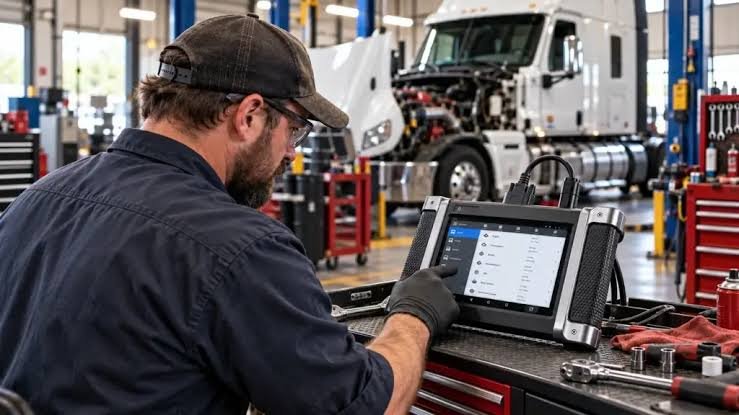
Handheld scanners are rugged and portable for roadside use; tablet-style scanners give larger screens and more features but are bulkier and sometimes pricier. Consider:
- Screen size and readability in sunlight (important for roadside or yard work).
- Storage and ruggedness; heavy-duty tablets usually have tougher shells and longer battery life.
- Software update policy and coverage: some units require paid subscriptions for updates or manufacturer-specific protocols—factor that into life-cycle cost.
Software updates, vehicle coverage, and subscriptions
The scanner's baseline spec matters less than how it evolves. Diesel models get software expansions as new trucks and ECUs arrive. When evaluating, ask:
- Does the vendor provide free updates for a limited time or is ongoing subscription required?
- Is vehicle coverage listed by make, model year, and protocol?
- Does the tool add new heavy-duty brands or special functions without hardware changes?
If you service a narrow set of truck models, a lower-cost scanner with that exact coverage and minimal update needs can be the most cost-effective choice.
Look for real heavy‑duty features, not just OBD2 buzzwords
Marketing often repackages car-focused features for trucks. True heavy-duty functionality includes:
- Support for 6-pin/9-pin diesel connectors and J1939/J1708 messaging.
- DPF regeneration and soot load readings, SCR dosing and DEF system diagnostics.
- Bi-directional control to run pumps, valves, or command an actuator for testing.
- Ability to interpret manufacturer-specific trouble codes and freeze-frame data.
If a product description emphasizes "OBD2" without listing J1939/J1708 or diesel connectors, it's likely car-focused and not ideal for heavy-duty trucks.
Accessories and adapters you'll likely need
Plan for adapters, cables, and physical protection:
- J1939/J1708 adapters or a 9-pin to 16-pin cable for modern trucks.
- Extra OBD power cables, rugged carrying case, and vehicle-specific adapters (some OEM ECUs use unique pinouts).
- Vehicle interface modules or cradle mounts for tablet-style units used in a shop or fleet yard.
Accessory availability can make a midpriced scanner far more useful than a cheap all-in-one that lacks replaceable parts.
When to invest in a higher-tier unit
Spend up when you need any of the following:
- Regular bi-directional testing and ECU coding across multiple brands.
- Fleet maintenance where downtime costs justify faster diagnostics and depth of coverage.
- Support for newer emissions systems (SCR, advanced DEF) and frequent DPF work.
For occasional owners or drivers, a reliable mid-range heavy-duty reader with DPF regen and J1939 support is often the best cost/benefit trade-off.
Recommended options based on common use cases
After matching the truck, functions, and environment, here are targeted starting points from our catalog.
For a balanced, widely compatible heavy-duty scanner that covers DPF work and common fleet needs, consider the LAUNCH CRP129HD which fits shops needing robust diesel functions.
If you need broad vehicle compatibility at a more budget-friendly level—supporting 12V/24V trucks and common heavy-duty protocols—the ANCEL HD601 is a strong practical choice.
Practical checks before you buy or deploy
Before payment or outfitting a truck, verify these points on the vendor page or in the product manual:
- Explicit list of supported protocols (J1939, J1708) and adapter compatibility.
- Which advanced functions are included vs. which require subscriptions.
- Whether the unit supports 12V and 24V systems and the physical connector types provided.
- Availability of replacement cables and dealer or online support resources.
- Confirm J1939/J1708 and 9-pin/6-pin support for your truck models.
- List the must-have functions: DPF regen, bi-directional, ECU coding, or basic code reading.
- Check update policy and whether required vehicle protocols are included free or paid.
- Decide on handheld vs. tablet based on roadside vs. shop use.
- Ensure necessary adapters or accessories are available from the vendor.
Pick a diesel diagnostic scanner by matching connectors and protocols first, then choose the minimum set of advanced functions you actually use. For fleet or pro shops, prioritize bi-directional control and broad software updates; for owners and small shops, a mid-range unit with DPF regen and J1939 compatibility usually delivers the best value.
Do I need a J1939 adapter for every truck?
If a truck supports J1939 natively you'll need a compatible adapter or cable; many heavy-duty scanners include or list optional J1939/9-pin adapters—confirm before purchase.
Can a car OBD2 scanner diagnose heavy-duty diesel trucks?
Usually not. Car-focused OBD2 tools often lack J1939/J1708 protocol support and diesel-specific functions like DPF regen and SCR diagnostics.
Are software updates necessary?
Yes—truck models and ECUs change. Updates expand vehicle coverage and add functions; check whether updates are free or require a subscription.
How do I know if a scanner supports DPF regeneration?
Look for explicit mention of “DPF regen,” soot load readings, or diesel particulate filter functions in the feature list or manual—don’t assume it's included.