What actually matters — and what you can ignore
If you own or work on diesel vehicles, the one essential thing is: a tool that reads the right codes and lets you act on them. Ignore marketing lists of “hundreds of supported vehicles” unless the tool covers the connectors and systems you use (12V/24V, 6/9-pin truck ports, or HD-OBD). Also ignore flashy specs like screen size or Bluetooth range unless you truly need tablet-style convenience; functionality and protocol support matter far more.
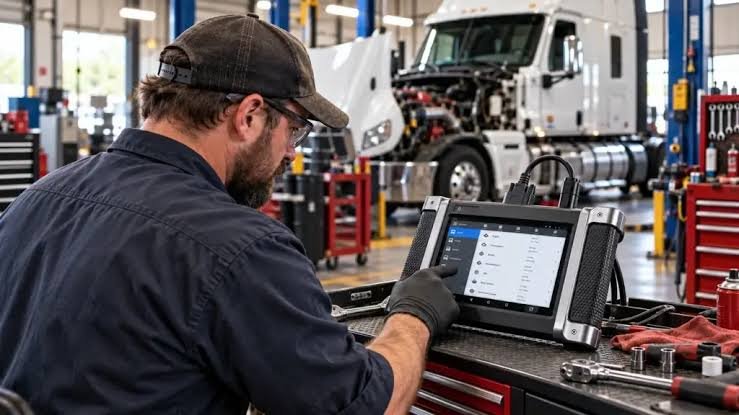
Use the focus phrase diesel diagnostic tools early: the right diesel diagnostic tools let you read fault codes, view live sensor data, run resets and — on advanced units — send commands (bi-directional controls) to test parts without disassembly.
Quick answer: which tool should a beginner get?
For most beginners who handle pickups, work vans or occasional heavy-duty trucks, a mid-range heavy-duty scanner that supports 12V and 24V systems, reads/clears codes, shows live data and offers basic service functions (DPF/TPMS/ABS resets) is sufficient. If you intend professional-level troubleshooting or ECU programming, choose a professional bi-directional unit later.
Core capabilities to compare (so you don’t overpay)
- Protocol & connector support: Does it handle 12V and 24V, OBD2 and heavy-duty 6/9-pin connectors? If you work on trucks, compatibility with 6/9-pin is mandatory.
- Read/clear codes vs full-system diagnostics: Basic code readers only read/clear engine codes. Full-system scanners access ABS, transmission, body modules and emissions systems.
- Live data and graphing: Seeing real-time sensor values (fuel rail pressure, MAP, EGTs) speeds diagnosis. Graphing helps spot intermittent faults.
- Bi-directional control: Needed when you must command actuators (open EGR, run fans, cycle injectors). Essential for professional shops and deep troubleshooting.
- Service functions: DPF regeneration, injector coding, adaptations and TPMS service are common value-adds for diesel work.
- Updates & software model coverage: Check how updates are delivered (subscription vs free) and whether key vehicle models you service are supported.
How to use a scanner in the real world — short workflow
When the check engine light appears or performance is poor, follow this sequence:
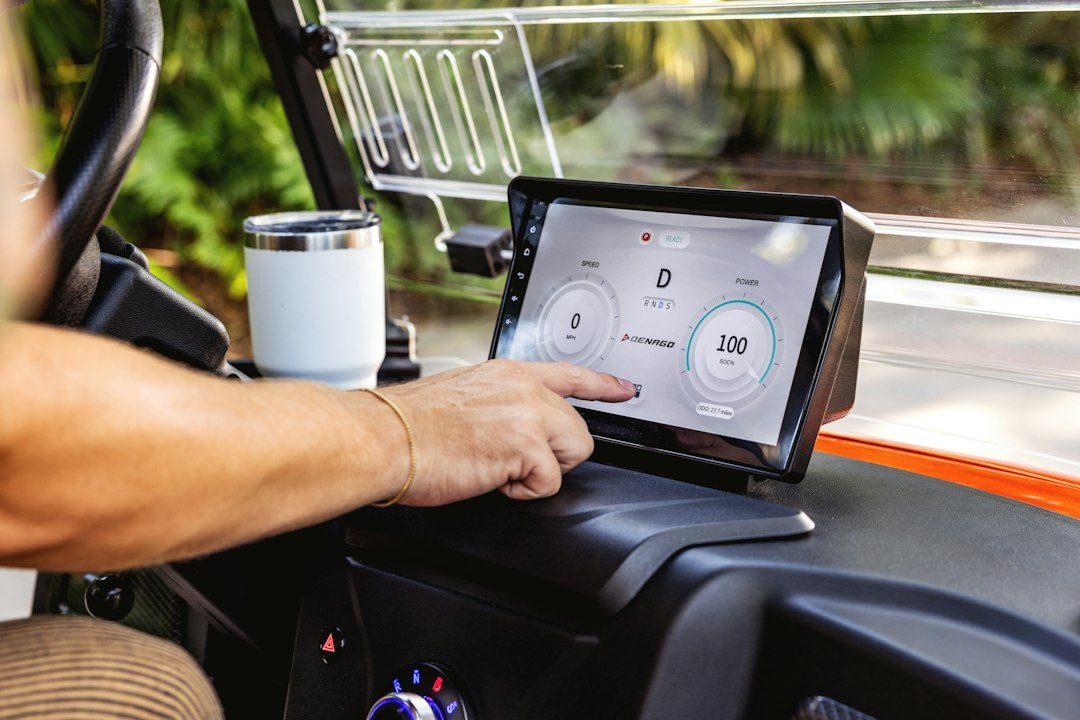
- Connect the scanner and read active and stored codes.
- Note freeze-frame and live data parameters the code references (e.g., turbo boost, EGT, fuel rail pressure).
- Use live data to confirm sensor values and reproduce the fault if possible.
- If available, run bi-directional tests to activate suspect parts (e.g., command a fan or open EGR) to isolate the fault.
- Clear codes only after repair or after validating the root cause; monitor for recurrence.
Common scenarios and the features that fix them
Match the problem to the capability so your purchase makes sense.
- Frequent DPF warnings or regeneration failures: You need DPF regen and soot-level readings; tools offering DPF service functions save time.
- Intermittent power loss/poor fuel delivery: Live fuel rail pressure, injector balance, and bi-directional injector tests are useful.
- ABS or brake lights: Full-system access for ABS/TCS with the ability to read sensor speeds and run component tests.
- Fleet maintenance: Look for a durable tablet-style unit with multi-vehicle profiles, easy updates and 24V support.
Practical buying guidance — trade-offs to accept
If your budget is limited, prioritize connector and protocol coverage first, then live data, then bi-directional features. A solid mid-range heavy-duty scanner is a better investment than an entry code reader plus multiple adapters.
This recommended unit combines full heavy-duty diagnostics, bi-directional control and common service functions—suitable for a growing shop or a dedicated owner-operator who wants to do more than clear codes.
Connectors and adapters: the boring details that break compatibility
Diesel diagnostics often require the 6-pin or 9-pin Deutsch connectors used on many trucks as well as standard OBD2. Confirm whether a scanner includes those cables or if you must buy adapters. Also verify 12V vs 24V support: connecting a 12V-only device to a 24V system can permanently damage the tool.

Maintenance, updates and data interpretation
Keep firmware up to date — manufacturers add vehicle coverage, fix faults and improve service functions. But be cautious: updates can occasionally change menus or reset custom settings, so test new firmware before relying on it in critical jobs.
Regarding data interpretation, remember that a fault code is a clue, not a diagnosis. Use live data, manufacturer wiring diagrams and component testing (voltage/continuity/bench tests) to confirm the cause. In complex modern diesels, multiple systems (fuel, air, exhaust aftertreatment) interact; narrow your scope before replacing expensive components.
When to call a pro or rent a higher-end tool
If troubleshooting requires ECU reprogramming, manufacturer-specific calibration or safety-critical repairs (air brake systems, emissions controls that affect legal compliance), it’s appropriate to involve a dealer or a specialist with OEM-level access. Some shops rent high-end units per job if the expense isn't justified full-time.
- Confirm 12V/24V support and included cables for your vehicles.
- List the systems you need (engine, ABS, transmission, DPF) and ensure coverage.
- Decide if bi-directional control is required now or later.
- Check update policy and how vehicle coverage is delivered.
- Budget for durable hardware over gimmicky extras like oversized screens.
Diesel diagnostic tools range from simple code readers to full heavy-duty, bi-directional scanners. For beginners servicing pickups, vans or occasional trucks, pick a mid-range heavy-duty scanner that supports 6/9-pin connectors, live data and key service functions. Upgrade to professional units only when you need active actuator control or ECU coding.
Do all diesel scanners work on trucks?
No. Many basic scanners only support passenger-car OBD2. For trucks you often need 6-pin or 9-pin connectors and 24V compatibility—check the specs before buying.
What is bi-directional control and do I need it?
Bi-directional control lets the scanner command actuators (e.g., run fans, cycle valves). It’s essential for advanced testing and professional diagnostics but optional for basic code reading and simple repairs.
Can a scanner perform DPF regeneration?
Many heavy-duty scanners offer DPF service functions, but successful regeneration also depends on vehicle condition and soot load; sometimes a forced regen or workshop procedure is required.
How often should I update my scanner?
Update when you add new vehicle models to your workflow or if a manufacturer issues a compatibility fix. Test updates on a non-critical vehicle if possible.